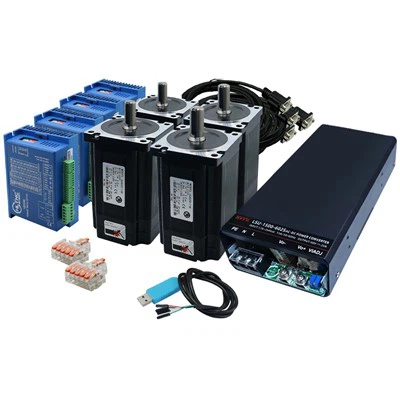
Servo motors are essential components in various applications, from robotics to industrial automation. As a leading servo motor supplier, I've encountered numerous customers eager to understand how to wire these motors correctly. In this blog post, I'll guide you through the process of wiring a servo motor, providing step-by-step instructions and important considerations.


Understanding Servo Motors
Before diving into the wiring process, it's crucial to understand the basic components of a servo motor. A typical servo motor consists of a DC motor, a gearbox, a control circuit, and a position feedback device (usually a potentiometer). The control circuit receives control signals and adjusts the motor's position accordingly.
The three main wires that you'll need to connect are:
- Power Wire: This wire supplies the necessary electrical power to the motor. It's usually red and is connected to the positive terminal of the power source.
- Ground Wire: The ground wire (usually black or brown) provides a return path for the electrical current. It's connected to the negative terminal of the power source.
- Control Wire: This wire (usually orange, yellow, or white) carries the control signals from the controller to the servo motor.
Tools and Materials Required
Before you start wiring the servo motor, gather the following tools and materials:
- Servo motor
- Power supply (make sure it provides the correct voltage for your servo motor)
- Controller (such as an Arduino board or a dedicated servo controller)
- Wires (appropriately sized for the current and voltage requirements)
- Wire strippers
- Soldering iron and solder (optional, depending on your connection method)
- Electrical tape or heat shrink tubing
Step-by-Step Wiring Guide
Step 1: Identify the Wires
As mentioned earlier, identify the power, ground, and control wires on your servo motor. Refer to the motor's datasheet if you're unsure.
Step 2: Prepare the Power Supply
Connect the power supply to a suitable electrical outlet or power source. Ensure that the power supply provides the correct voltage and current rating for your servo motor.
Step 3: Connect the Power and Ground Wires
- Strip the ends of the power and ground wires on the servo motor.
- Connect the red (power) wire to the positive terminal of the power supply.
- Connect the black or brown (ground) wire to the negative terminal of the power supply.
- You can use screw terminals, crimp connectors, or solder the connections for a more secure and reliable connection. If you choose to solder, be careful not to overheat the wires or the motor.
Step 4: Connect the Control Wire
- Strip the end of the control wire on the servo motor.
- Connect the control wire to the appropriate output pin on the controller. The pin number may vary depending on your controller and the software you're using.
- For example, if you're using an Arduino board, you can connect the control wire to one of the digital output pins (e.g., pin 9).
Step 5: Secure the Connections
- Once all the connections are made, use electrical tape or heat shrink tubing to insulate the connections and prevent short circuits.
- Make sure the wires are neatly arranged and secured to avoid any accidental disconnections.
Testing the Servo Motor
After wiring the servo motor, it's time to test it to ensure that it's working correctly.
- Power on the controller and the power supply.
- Send a test signal to the servo motor using the controller's software. For an Arduino, you can use the Servo library to control the servo motor.
- Observe the servo motor's movement. If it moves smoothly and accurately to the desired position, then the wiring is correct. If not, double-check your connections and the control signals.
Important Considerations
- Voltage and Current Ratings: Always use a power supply that provides the correct voltage and current rating for your servo motor. Using an incorrect power supply can damage the motor or cause it to malfunction.
- Electrical Noise: Servo motors can generate electrical noise, which can interfere with the control signals. To minimize electrical noise, use shielded cables and proper grounding techniques.
- Mechanical Load: Consider the mechanical load that the servo motor will be driving. Make sure the motor has enough torque to handle the load. If the load is too heavy, the motor may overheat or stall.
Related Products
If you're interested in other types of motors and drivers, check out our Stepper Motor And Dc Motor page. We also offer Nema 34 Closed Loop Stepper and Nema 17 Stepper Motor Driver products.
Contact Us for Purchasing
If you have any questions about wiring servo motors or are interested in purchasing our servo motors, please feel free to contact us. Our team of experts is ready to assist you with your needs and provide you with the best solutions for your projects.
References
- Servo motor datasheets provided by the manufacturers.
- Arduino documentation and tutorials for servo motor control.